
Table of Contents
ToggleHow to Create a Social Media Content Calendar from Scratch
Posting on social media without a plan is like driving without a map. You might eventually get somewhere, but you will waste a lot of time along the way. A social media content calendar transforms random, reactive posting into a consistent, strategic system. Whether you are a small business owner, a content creator, or a marketing intern managing multiple accounts, this guide will show you exactly how to build a social media content calendar that works and that you will actually stick to.
What Is a Social Media Content Calendar and Why You Need One
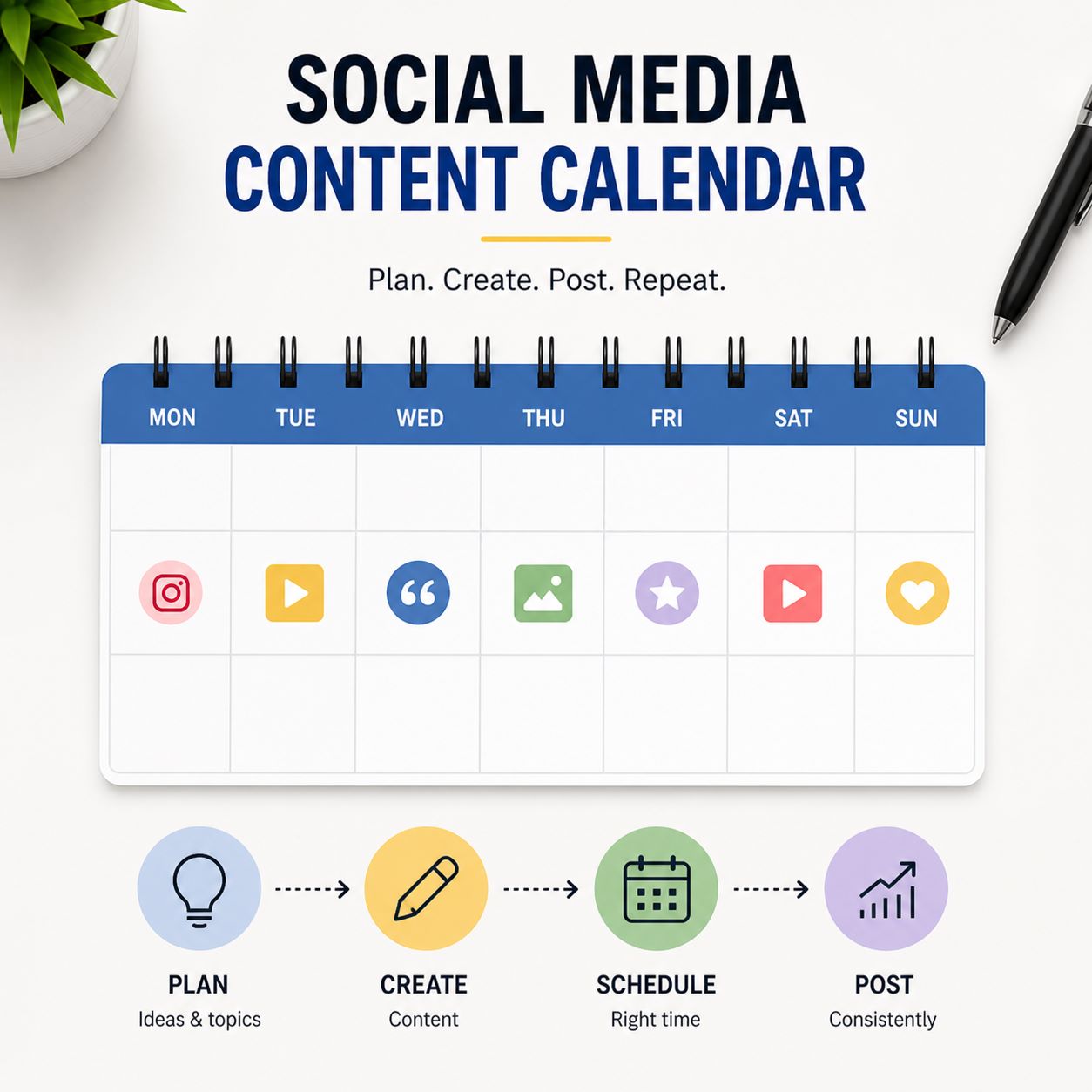
A social media content calendar is a planning document usually a spreadsheet, a project management tool, or a dedicated app that maps out what you will post, where you will post it, and when it will go live. It gives you a bird’s-eye view of your entire content strategy across platforms. This is especially important for businesses working with a digital marketing agency in Ahmedabad that manages content across Instagram, Facebook, and LinkedIn simultaneously.
A properly organised social media content calendar helps businesses maintain consistency across all platforms while reducing last-minute content stress. Instead of posting randomly, brands can strategically plan campaigns, promotions, educational posts, and engagement content in advance. This creates a stronger brand identity and improves audience trust over time.
Businesses learning how to create a content calendar often discover that structured planning improves productivity and content quality simultaneously. Whether you are managing Instagram, Facebook, LinkedIn, or multiple platforms together, a planned workflow allows better coordination between captions, visuals, hashtags, and publishing schedules.
How to Create a Content Calendar That Actually Gets Used
The biggest reason social media content calendars fail is that they are too complicated. People build elaborate systems that require too much maintenance, then abandon them within two weeks. The secret to how to create a content calendar that works is to start simple and build complexity only as your workflow demands it.
Begin with a basic Google Sheet or Notion table. Your columns should include: Post Date, Platform, Content Type (image, video, reel, story, carousel), Caption Draft, Hashtags, Visual Asset Link, and Status (Planned / Drafted / Scheduled / Published). That is all you need to start your social media content calendar. The most important rule: your social media content calendar should save you time, not create extra work
The best approach to how to create a content calendar is keeping the process simple and sustainable. Many businesses fail because they create overly complicated systems that become difficult to maintain consistently. A clean and manageable social media content calendar saves time, improves organisation, and reduces daily posting pressure.
Using a simple spreadsheet or scheduling tool helps businesses organise captions, post ideas, hashtags, and visuals more effectively. Over time, this structure makes it easier to build a stronger monthly social media content plan without feeling overwhelmed by content creation tasks.
Why Content Batching Makes Social Media Easier
If you constantly feel stressed about posting every day, content batching can completely change your workflow. Content batching means creating multiple pieces of content in one focused session instead of creating posts daily. This approach is one of the easiest ways to maintain your social media content calendar consistently while reducing mental fatigue.
For example, you can dedicate one day to writing captions, another day to designing visuals, and another to scheduling posts in advance. This process is far more efficient than switching between tasks every day. It also helps maintain a consistent brand tone because all content for your social media content calendar is planned together.
How Beginners Can Plan Social Media Content Without the Stress
For anyone learning how to plan social media content for beginners, the most important mindset shift is to move from daily decision making to weekly or monthly batch planning. Instead of waking up every morning wondering what to post, dedicate one day per week to filling your social media content calendar in one sitting.
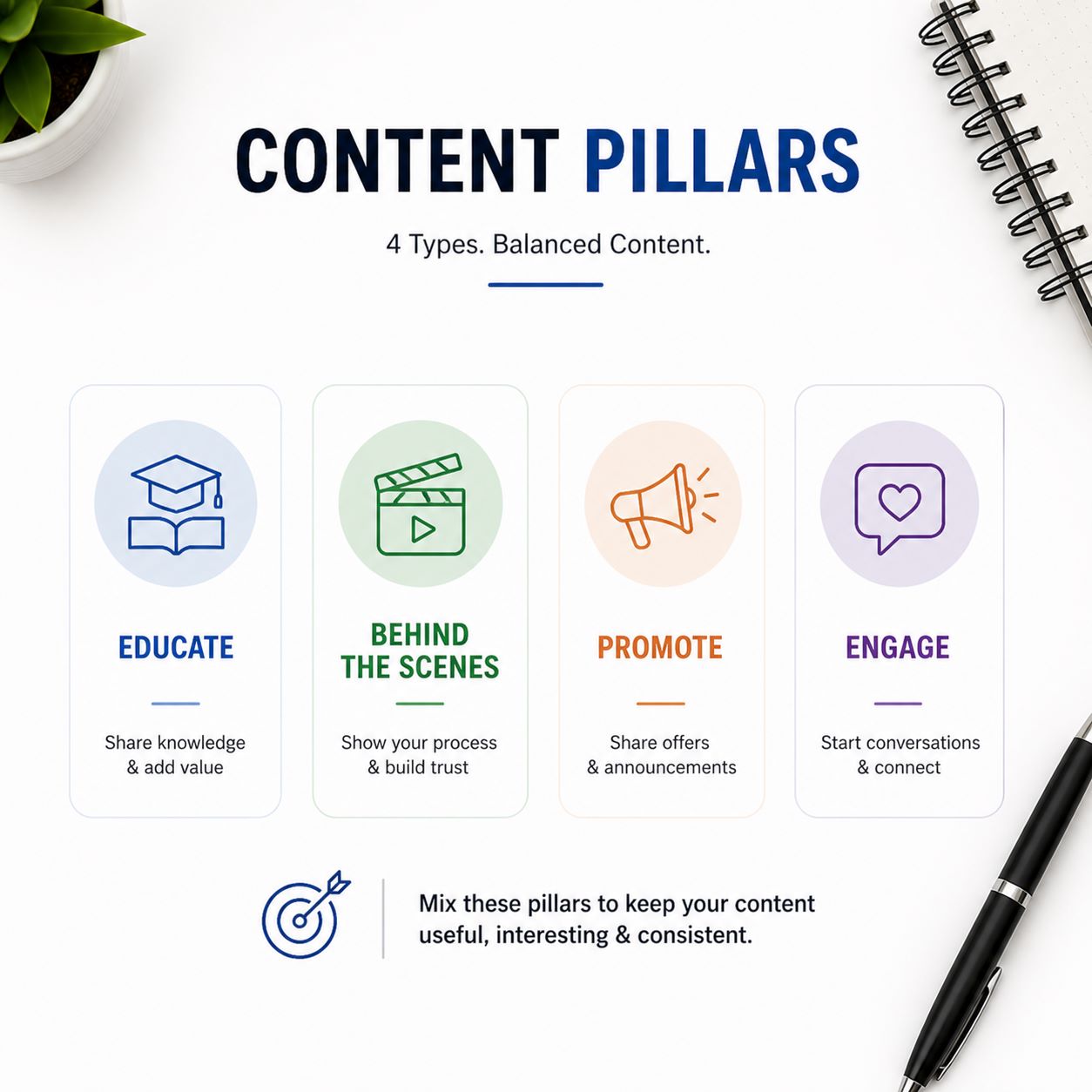
Start by identifying 4 to 5 content pillars for your brand. Content pillars are the recurring themes or categories your content falls into. For example, a digital marketing brand might use: Educational Tips, Behind the Scenes, Client Results, Industry News, and Promotional Content. Every piece of content falls into one of these categories, which instantly gives you direction.
Building a Content Calendar That Works for Small Businesses
Small businesses often have limited time and smaller teams, which makes a content calendar for small business even more valuable. The goal is maximum impact with minimum wasted effort. Brands that combine a social media content calendar with a well structured social media marketing strategy consistently outperform competitors who post reactively.
Prioritise your top performing platform first. If Instagram drives more leads for your business than LinkedIn, focus 70 percent of your social media content calendar on Instagram and use the remaining capacity for LinkedIn. Do not try to be everywhere at once it leads to thin, inconsistent content on all platforms.
A well planned content calendar for small business helps brands maximise marketing efforts even with limited resources and smaller teams. Small businesses often struggle with consistency because content creation becomes reactive instead of planned strategically.
Using a structured social media content calendar allows businesses to prepare promotional campaigns, educational content, and engagement posts in advance. This creates better consistency across platforms while improving overall brand visibility.
Small businesses should also focus on creating platform specific content rather than posting identical content everywhere. A focused monthly social media content plan improves audience engagement and helps businesses allocate time more efficiently.
Common Social Media Content Calendar Mistakes to Avoid
One of the biggest mistakes people make while building a social media content calendar is planning too much content without considering quality. A social media content calendar packed with daily posts may look productive, but if the content is repetitive or low value, engagement will drop quickly.
Another common issue is ignoring analytics. Many beginners continue posting the same type of content without checking what actually performs well. Your social media content calendar should evolve based on audience behaviour. If reels consistently outperform static posts, adjust your monthly social media content plan to include more short form video.
How to Schedule Social Media Posts in Advance Like a Pro
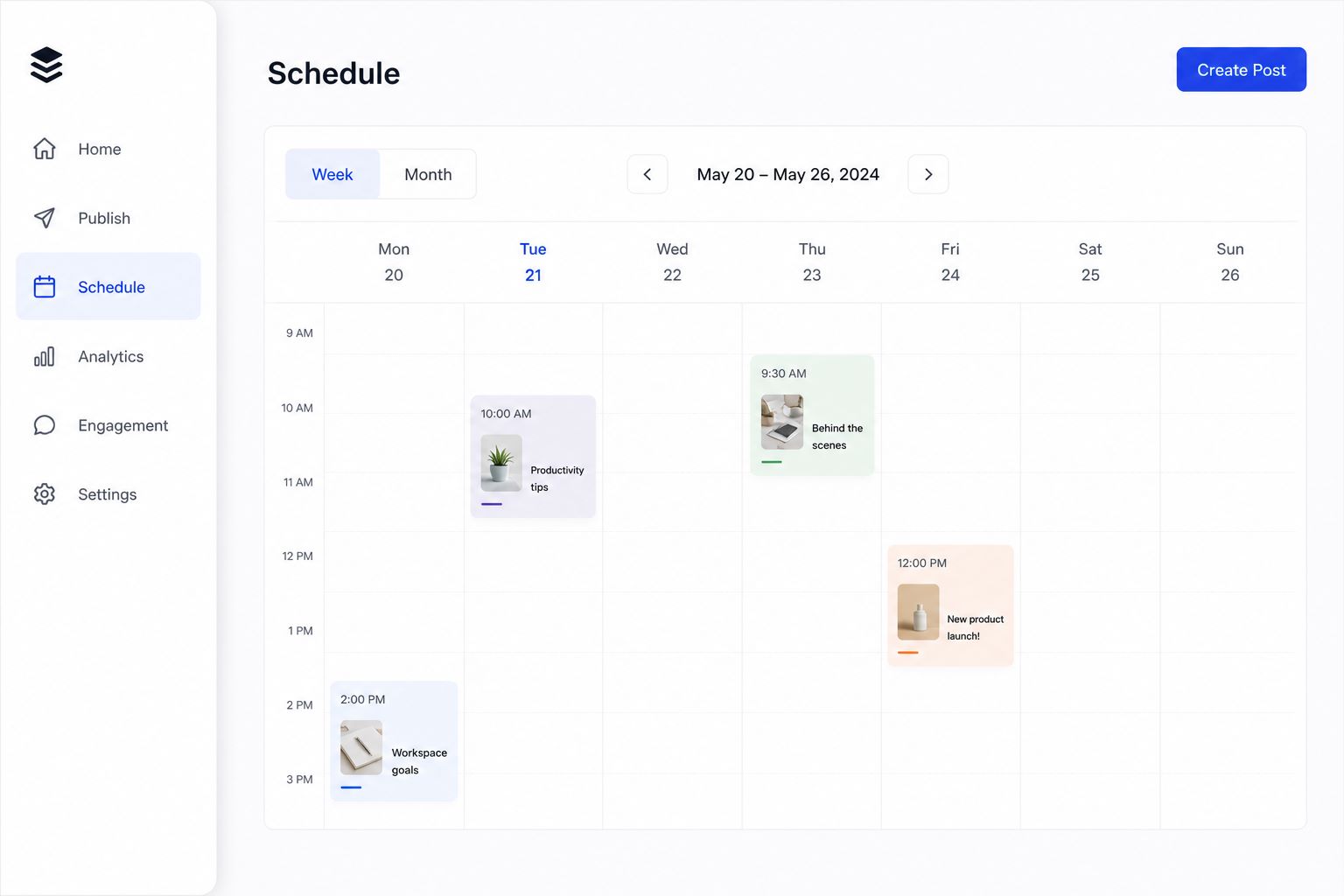
Learning how to schedule social media posts in advance is one of the highest-leverage skills you can develop. Scheduling tools allow you to plan a full week or month of your social media content calendar in a single session, then let the tool publish automatically at the optimal time. For a detailed breakdown of the best scheduling platforms available today, HubSpot’s social media calendar tools guide covers how marketers choose between Buffer, Hootsuite, Later, and Sprout Social based on team size and budget.
When scheduling your social media content calendar, pay attention to posting time. Most scheduling tools include audience activity analytics to guide this decision. Test different times for 30 days and let the data tell you what works for your specific audience.
How to Build a Monthly Social Media Content Plan in One Sitting
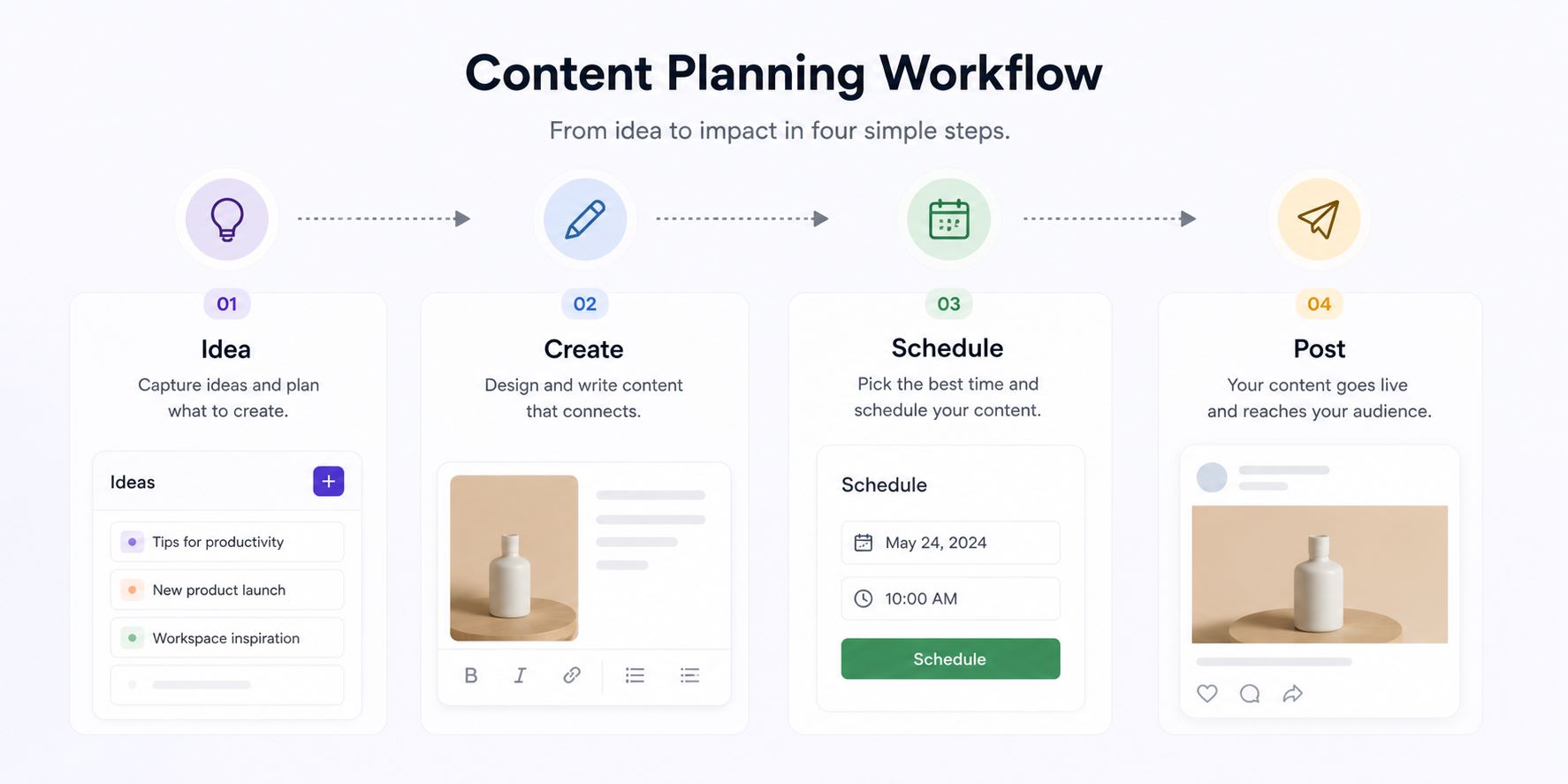
A monthly social media content plan sounds ambitious, but with the right structure it is achievable in three to four hours. Here is a process you can follow every month to build your social media content calendar:
- Review last month’s analytics what performed best and why?
- Note any upcoming business events, product launches, or seasonal dates this month
- Plan 4 to 5 content types per week based on your content pillars
- Write all captions in a single document before touching any design tool
- Create or source all visuals in one batch session
- Schedule everything using a tool like Buffer or Meta Business Suite
- Leave 2 to 3 open slots per week in your social media content calendar for reactive or trending content
This process, when repeated monthly, builds a library of content and makes social media management far less stressful.
Creating a strong monthly social media content plan becomes easier when businesses organise content around specific goals and audience interests. Planning content in advance reduces daily decision fatigue and allows more time for creativity, analytics, and engagement.
A well-managed social media content calendar also improves consistency because businesses already know what content needs to be created and scheduled throughout the month. This organised approach supports better workflow management and reduces last-minute posting stress.
Businesses learning how to create a content calendar should focus on balancing educational, promotional, and engagement-based content to maintain audience interest consistently.
How to Organize Your Social Media Posts So Nothing Falls Through the Cracks
Organisation is the backbone of a functional content calendar. The best way to understand how to organize social media posts is to use a hub and spoke model. Your calendar (the hub) connects to all your assets captions, images, videos, hashtag sets, and performance data stored in organised folders or a digital asset management system.
Name your files consistently. For example: ‘2026-05-IG-Reel-SEOTips.mp4’ tells you the month, platform, content type, and topic at a glance. Store all assets for a given week in a labelled folder. When you sit down to schedule, everything is ready no hunting through downloads folders or chat threads.
Use colour coding in your calendar to indicate status at a glance. Green for published, yellow for scheduled, orange for in progress, red for missing assets. This visual system lets you spot problems before they become missed posts.
Content Ideas to Fill Your Social Media Calendar Every Month
One of the most common challenges is running out of content ideas for your social media content calendar. Here is a bank of ideas organised by content type that you can draw from every month:
- Educational: How-to guides, myth-busting posts, step by step tutorials, terminology explainers
- Engagement: Polls, question stickers, ‘this or that’ formats, caption contests
- Social proof: Client testimonials, case study snapshots, before and after results
- Behind the scenes: Team introductions, process videos, workspace tours, day in the life
- Trending: Relevant memes adapted for your niche, trending audio reels, news commentary
- Promotional: Service highlights, limited offers, event announcements, free resource downloads
Finding fresh content ideas for social media calendar planning becomes easier when businesses focus on audience problems, trending topics, and educational value. Content that solves common customer questions usually performs better because it creates higher engagement and encourages shares and saves.
A balanced social media content calendar should include a mix of tutorials, behind-the-scenes content, customer stories, promotional campaigns, and industry updates. This combination helps brands maintain variety while keeping content aligned with business goals.
Using organised brainstorming sessions every month also improves the quality of content ideas for social media calendar planning and prevents repetitive posting patterns.
What to Post on Social Media Every Day (Without Running Out of Ideas)
Knowing what to post on social media every day becomes effortless once you have a social media content calendar system in place. If you want to learn how to build a complete content repurposing system, read our blog on How AI is Changing the Future of Digital Marketing to see how smart tools can help automate and scale your content production.
One of the easiest ways to avoid running out of ideas is by building a structured social media content calendar around recurring content themes. Instead of trying to create completely new ideas every day, businesses can rotate between educational posts, engagement content, promotional posts, behind-the-scenes updates, customer testimonials, and trending topics. This approach keeps content fresh while making content creation more manageable.
Brands learning how to create a content calendar should focus on creating reusable content formats that can be adapted for different platforms. For example, one educational blog can become a carousel post, short reel, quote graphic, story series, or LinkedIn post. Repurposing content helps maintain consistency without constantly creating everything from scratch.
A well organised monthly social media content plan also makes daily posting less stressful because content ideas are prepared in advance. Businesses can brainstorm topics monthly and schedule posts strategically instead of making last minute decisions every day.
Using audience questions, industry trends, customer feedback, and frequently asked questions is another effective way to generate content ideas for social media calendar planning. The more closely your content matches audience interests, the easier it becomes to maintain engagement consistently across platforms.
For small brands, a structured content calendar for small business helps save time while improving content quality and posting consistency. Instead of posting randomly, businesses can focus on delivering valuable content that supports long-term audience growth and brand visibility.
How Often Should You Post on Social Media? Here's the Truth
There is a lot of conflicting advice about how often should you post on social media, and the honest answer depends on your platform, audience, and the quality of content you can sustain. Here are evidence-based recommendations: Instagram — 3 to 5 times per week for feed posts, daily stories; LinkedIn — 3 to 4 times per week; Facebook — 3 to 5 times per week; YouTube — 1 to 2 times per week.
The most important variable is not frequency — it is consistency. Posting every day for two weeks and then going silent for a month is worse than posting three times per week every week without fail. Build your social media content calendar around a frequency you can genuinely sustain. Algorithms reward accounts that post consistently.
How Analytics Improve Your Content Calendar Strategy
A successful social media content calendar is not just about planning posts it is also about improving performance over time. Analytics help you understand what your audience actually enjoys so you can make smarter content decisions each month.
Track metrics like reach, saves, shares, comments, and click through rates. If educational carousel posts receive more saves than motivational quotes, that is a clear signal to create more educational content. Similarly, if your audience engages more during evenings than mornings, adjust your scheduling times accordingly.
Analytics also help you identify weak spots in your strategy. Maybe your Instagram content performs well but LinkedIn posts receive little engagement. Instead of posting blindly, you can refine your platform strategy based on real data. Over time, this creates a more effective and efficient content calendar that generates better results with less wasted effort.
F.A.Q
What is the best tool for creating a social media content calendar?
The best tool depends on your team size and budget. For individuals and small teams, a simple Google Sheet is the most flexible and accessible option. For more visual planning, Later or Planoly allow you to see exactly how your grid will look before posting. For teams managing multiple clients, Hootsuite or Sprout Social offer collaborative features and analytics.
How far in advance should I plan my social media content?
Planning two to four weeks in advance strikes the right balance between preparedness and flexibility for your social media content calendar. Planning too far ahead makes it hard to stay relevant because trends change quickly. Always leave a few open slots each week for spontaneous or trending content.
Can a social media content calendar work for a one-person business?
Absolutely — in fact, solo business owners arguably benefit most from a social media content calendar. A simple calendar with 3 to 4 posts planned per week, batch-created on a Sunday afternoon, can completely transform your social media consistency without overwhelming you.
Should I post different content on different social media platforms?
Yes, platform-specific content consistently outperforms cross-posted content. Your social media content calendar should include platform-adapted formats for each channel. You can repurpose the same core idea across platforms, but adjust the format, length, and tone for each.
How do I measure whether my content calendar is working?
Track platform-native analytics at minimum once per month. Key metrics to monitor include reach, engagement rate, follower growth rate, and link clicks. Compare your metrics month-over-month to determine whether your social media content calendar is driving results
What are the best content pillars for a digital marketing brand?
For a digital marketing brand, effective content pillars typically include: Educational content, social proof, behind the scenes, promotional content, and thought leadership content. These five pillars cover informational, trust-building, and conversion-focused content in a balanced rotation.
Is it bad to repost or recycle old content?
Recycling content is not only acceptable — it is a smart strategy for maintaining your social media content calendar. Most of your audience did not see your post the first time due to algorithm reach limitations. The key is to genuinely update or reframe the content, not simply repost identical content.
How do hashtags fit into a content calendar strategy?
Hashtags should be planned as part of your social media content calendar, not added as an afterthought. Research and build 3 to 5 hashtag sets relevant to your content pillars, each containing a mix of broad, medium, and niche hashtags. Assign the appropriate hashtag set to each planned post in your calendar.
Should I include Stories in my content calendar?
Yes, Stories should be part of your social media content calendar even if they feel more casual. Plan at least 3 to 5 Story frames per week around recurring themes. Stories allow you to be more raw and personal than feed posts, which builds deeper connection with your audience.
How do I stay consistent with posting when life gets busy?
Consistency is a system problem, not a willpower problem. The solution is batching and automation. Your social media content calendar is your backup system dedicate one specific time per week or month to filling it with pre-scheduled content so your accounts remain active even when you cannot manually post.